The wait is over. WordPress 6.9, the second and final major release of 2025, has officially landed, building upon the foundation laid by its predecessors to deliver a more powerful, intuitive, and collaborative web-building experience. This isn’t just another incremental update; it’s a significant leap that refines the full-site editing experience, introduces groundbreaking collaboration tools, and lays the groundwork for the future of AI in WordPress.
Whether you’re a content creator, a site owner, or a developer, WordPress 6.9 packs a punch with features designed to streamline your workflow, enhance your site’s performance, and unlock new creative possibilities. In this exhaustive guide, we’ll dissect every key feature, explore the under-the-hood developer enhancements, and provide a clear roadmap for safely upgrading your site.
Also Read : Contact Form 7 – Auto Tour Budget Calculator (Travel Query Form
What is WordPress 6.9? The Second Major Release of 2025
WordPress 6.9 is the culmination of months of development by the global WordPress community. Following WordPress 6.8 released in April 2025, this version continues the aggressive push towards a unified, block-based future. Its primary focus is on polishing the Site Editor, revolutionizing template management, introducing native collaboration tools, and empowering developers with AI-ready APIs.
Scheduled for its stable release on December 2, 2025, WordPress 6.9 is now out of its beta phase and ready for production sites, marking a pivotal moment in the platform’s evolution.
How to Safely Upgrade to WordPress 6.9
Before we dive into the exciting new features, let’s address the most critical question: how to upgrade without breaking your site. Cutting corners here is a recipe for disaster. Follow these steps for a smooth transition:
- Backup Everything: This is non-negotiable. Use a reliable backup plugin to create a full backup of your website’s files and database. Ensure you have a restore point you can confidently return to.
- Staging Site is Your Best Friend: Never test major updates on your live site. Use a staging environment provided by your hosting company or a plugin. This allows you to test compatibility and functionality without affecting your visitors.
- Check Theme and Plugin Compatibility: Even if your themes and plugins are marked as compatible, test them thoroughly in your staging environment. Pay special attention to any custom code or page builders.
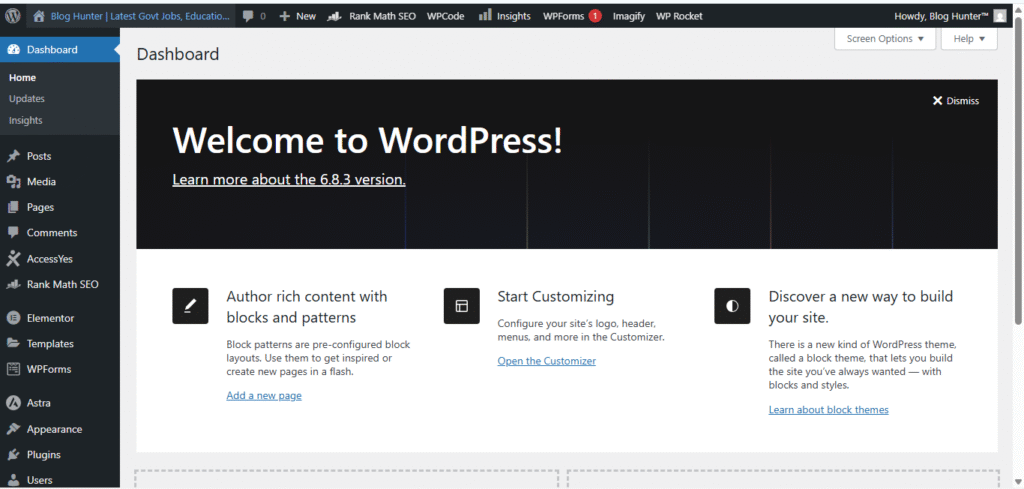
- Perform the Update: Once you’ve confirmed everything works in staging, proceed with the update on your live site during a period of low traffic. You can update directly from your WordPress dashboard (Dashboard > Updates), or use your preferred method.
Key New Features in WordPress 6.9: A User’s Paradise
WordPress 6.9 is packed with user-centric features that make content creation and site design smoother than ever.
The Enhanced Site Editor and Simplified Design Tools
The Site Editor has undergone a significant usability overhaul. The standout improvement is the new simplified editing mode.
- What it is: This mode allows users who just want to make quick text changes or swap an image to do so without being overwhelmed by complex design controls and block settings.
- Why it matters: It creates a clear distinction between content editing and full-scale design. Beginners can make simple edits confidently, while designers and power users can toggle back to the full-featured editor to access advanced tools like typography controls, spacing, and CSS. This finally addresses the common complaint that the block editor can be “too much” for simple tasks.
Expanded Template Management: A Game-Changer for Designers
Template management has been completely reimagined, solving long-standing frustrations for developers and designers working on complex sites.
- Multiple Templates per Page: You can now create several templates for a single page or post type, giving you unprecedented layout flexibility for different content scenarios.
- Separation of Theme and Custom Templates: The interface now clearly distinguishes between templates provided by your theme and custom templates you’ve created. This brings much-needed clarity and organization.
- Save Templates as Drafts: You can now build and refine templates without publishing them immediately. This is perfect for iterative design and collaboration with clients.
- Template Portability: When you switch themes, your custom templates are now preserved. This is a massive time-saver, eliminating the need to rebuild custom templates from scratch after a theme change.
Block-Level Comments (“Notes”): Native Collaboration Arrives
Previously known as “Block Comments,” Notes is arguably the headline feature of WordPress 6.9. It brings native, asynchronous collaboration directly into the WordPress editor.
- What it is: Notes allows editors, writers, designers, and clients to leave comments and feedback directly on specific blocks within a post or page.
- How it works: Simply select a block, open the block settings or list view, and you’ll find the option to add a note. Team members can view these notes, reply to them, and mark them as “Resolved” once the feedback has been addressed.
- Why it’s a game-changer: This eliminates the dependency on third-party tools like Google Docs, email threads, or project management apps for content feedback. It streamlines the editorial workflow, reduces context switching, and keeps all feedback tied directly to the relevant content.
Hide Blocks on the Frontend: A Long-Awaited Workflow Fix
This simple yet powerful feature addresses a common user request.
- What it is: You can now hide any block from appearing on the live site while keeping it visible and editable in the editor.
- Use Cases:
- Content Staging: Prepare content for a future campaign or announcement without revealing it to visitors.
- A/B Testing: Easily create variations of a section without needing a separate plugin.
- Temporary Removal: Disable a section (e.g., a promotional banner) without deleting it, making it easy to restore later.
- Future Potential: This functionality is expected to evolve into more sophisticated responsive and conditional visibility controls in future releases.
New Core Blocks: Richer Content Out of the Box
WordPress 6.9 introduces several new blocks that expand what you can build without any extra plugins.
- Accordion Block: Perfect for FAQs, product details, or any content you want to present in a compact, collapsible format. It improves user experience and saves valuable page space.
- Terms Query Block: A powerful block for developers and advanced users to display a list of taxonomy terms (like categories or tags) in custom layouts.
- Math Block: Finally, a native way to display complex mathematical expressions and equations using LaTeX syntax, a boon for educational and scientific websites.
- Time-to-Read Block: Automatically calculates and displays the estimated reading time for a post or page, helping set user expectations.
- Fit Text for Headings & Paragraphs: The classic Heading and Paragraph blocks now include a “Fit Text” option, which automatically adjusts the font size to make the text fill the width of its container, a useful tool for creating dynamic hero sections and titles.
Command Palette Everywhere: Keyboard-First Efficiency
The Command Palette, first introduced in the Site Editor, has now been unleashed across the entire WordPress Dashboard.
- What it is: A universal search and command tool accessible by pressing Ctrl+K (Windows/Linux) or Cmd+K (Mac).
- What you can do: Instantly search for and navigate to any admin screen, create new posts or pages, insert blocks, manage plugins, and trigger various actions—all without touching your mouse.
- Why it matters: It dramatically speeds up the workflow for power users, developers, and anyone who prefers keyboard shortcuts over navigating complex menus.
Border Radius Presets and Custom Social Icons
These smaller design enhancements contribute to a more consistent and flexible design system.
- Border Radius Presets: Theme developers can now define a set of consistent border-radius values (e.g., small, medium, large) that appear as presets in the block settings for buttons, images, and other blocks. This ensures design consistency across a site.
- Custom Social Icons: The Social Links block is no longer limited to a predefined set of platforms. You can now add custom social icons by simply providing the profile URL, allowing you to link to any social network or online profile.
Developer and Performance Enhancements: The Engine Room
While users get a slicker interface, developers get a treasure trove of new tools and optimizations.
The Abilities API: Bridging WordPress and AI
This is a brand-new, foundational API with huge implications for the future.
- What it is: The Abilities API creates a standardized, unified registry of all capabilities and actions within WordPress (e.g., create/post, update/plugin, read/user).
- Why it’s revolutionary: By providing a structured map of what can be done in WordPress, this API is designed to connect seamlessly with AI systems and automation tools. Imagine an AI assistant that can reliably perform complex workflows by understanding the exact capabilities required. This paves the way for sophisticated AI-driven content creation, site management, and automation within the WordPress ecosystem.
Major Interactivity API Updates
The Interactivity API, which enables modern, app-like experiences with minimal effort, receives significant upgrades.
- Improved Client-Side Navigation: Smoother, faster transitions between pages without full reloads.
- Smarter Asset Loading: More efficient loading of scripts and styles for interactive components.
- Enhanced Conditional Rendering: More powerful tools for showing/hiding elements based on user interaction, all while maintaining core web vitals.
Other Key Developer Upgrades
- DataViews & DataForm: These experimental APIs for creating powerful admin interfaces continue to mature, offering more flexibility and control.
- HTML API: Gains more capabilities for safely and programmatically processing HTML, a crucial tool for core development and advanced plugins.
- Block Bindings API: Becomes more stable and feature-rich, allowing blocks to dynamically pull content from custom fields and other sources without custom code.
Performance Optimizations: Speed as a Feature
WordPress 6.9 is built to be faster. Key performance improvements include:
- Smarter Caching: Enhanced caching mechanisms for both database queries and rendered output.
- Minified and Inlined Stylesheets: Reduces the number of HTTP requests and the overall payload size.
- Template Output Buffer System: A new system for rendering templates that reduces memory usage and speeds up page generation.
- RSS Caching Optimizations: Makes your RSS feeds load faster, improving the experience for feed readers and podcast apps.
Combined, these optimizations lead to faster Time to First Byte (TTFB) and a snappier user experience for site visitors.
Conclusion: Embracing the Future with WordPress 6.9
WordPress 6.9 is a robust, thoughtful release that successfully addresses real-world user pain points while strategically positioning the platform for an AI-augmented future. The introduction of Notes alone has the potential to transform how teams work within WordPress, while the template management overhaul is a long-overdue quality-of-life improvement.
For developers, the new Abilities API is a clear signal of where WordPress is headed, opening up a world of possibilities for automation and intelligent assistants. Coupled with significant performance gains, this release makes WordPress more powerful, efficient, and collaborative than ever before.
The stable version is now available. If you haven’t already, it’s time to take it for a spin on a staging site, explore its new tools, and prepare your websites for the next era of WordPress.
Frequently Asked Questions (FAQs) About WordPress 6.9
When was WordPress 6.9 released?
WordPress 6.9 was officially released on December 2, 2025.
What are the biggest updates in WordPress 6.9?
For users, the biggest updates are the Block Notes (collaboration), the enhanced Site Editor with simplified mode, and the completely overhauled template management. For developers, the Abilities API and Interactivity API improvements are the most significant.
Is WordPress 6.9 compatible with my current theme and plugins?
Most actively maintained themes and plugins should be compatible. However, the only way to be certain is to test thoroughly on a staging site before updating your live website. Pay close attention to any custom code.
Will WordPress 6.9 include a new default theme?
No, WordPress 6.9 does not ship with a new default theme. The focus of this release was on core platform improvements rather than a new theme.